

Step 2: Submit the Claim
You can claim ZEN directly through the official web interface: https://horizen.io/zenclaim
1. Connect Wallet
Click Connect Wallet and choose your provider (e.g., MetaMask). Make sure you're connected to Base Mainnet.

2. Import Token
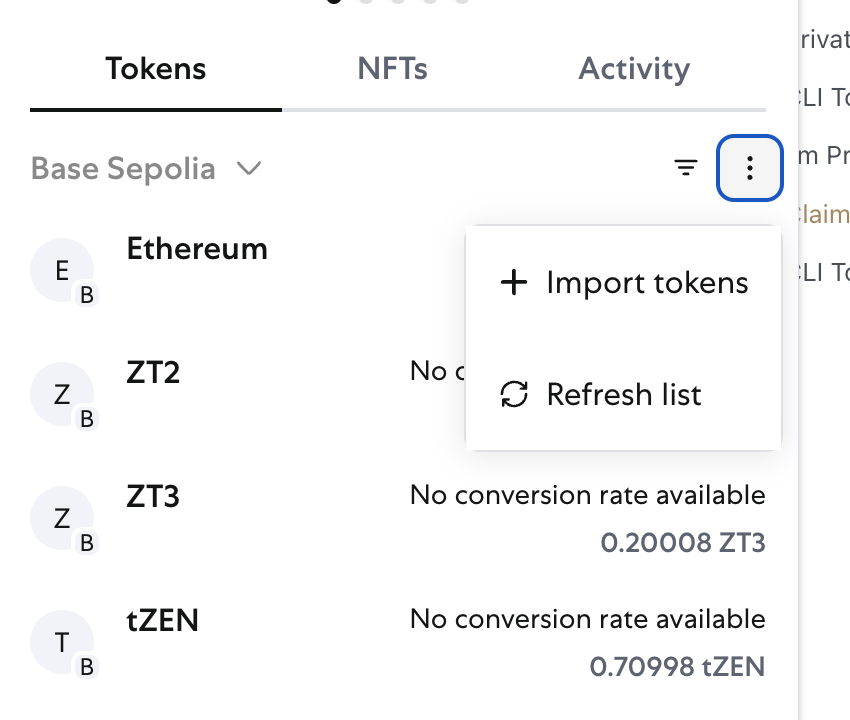
Make sure to import ZEN so that the token appears in MetaMask. Under the tokens tab select the "Import Tokens" button and enter the following:
Base Mainnet
Contract: 0xf43eB8De897Fbc7F2502483B2Bef7Bb9EA179229
Symbol: ZEN
3. Enter ZEN Address
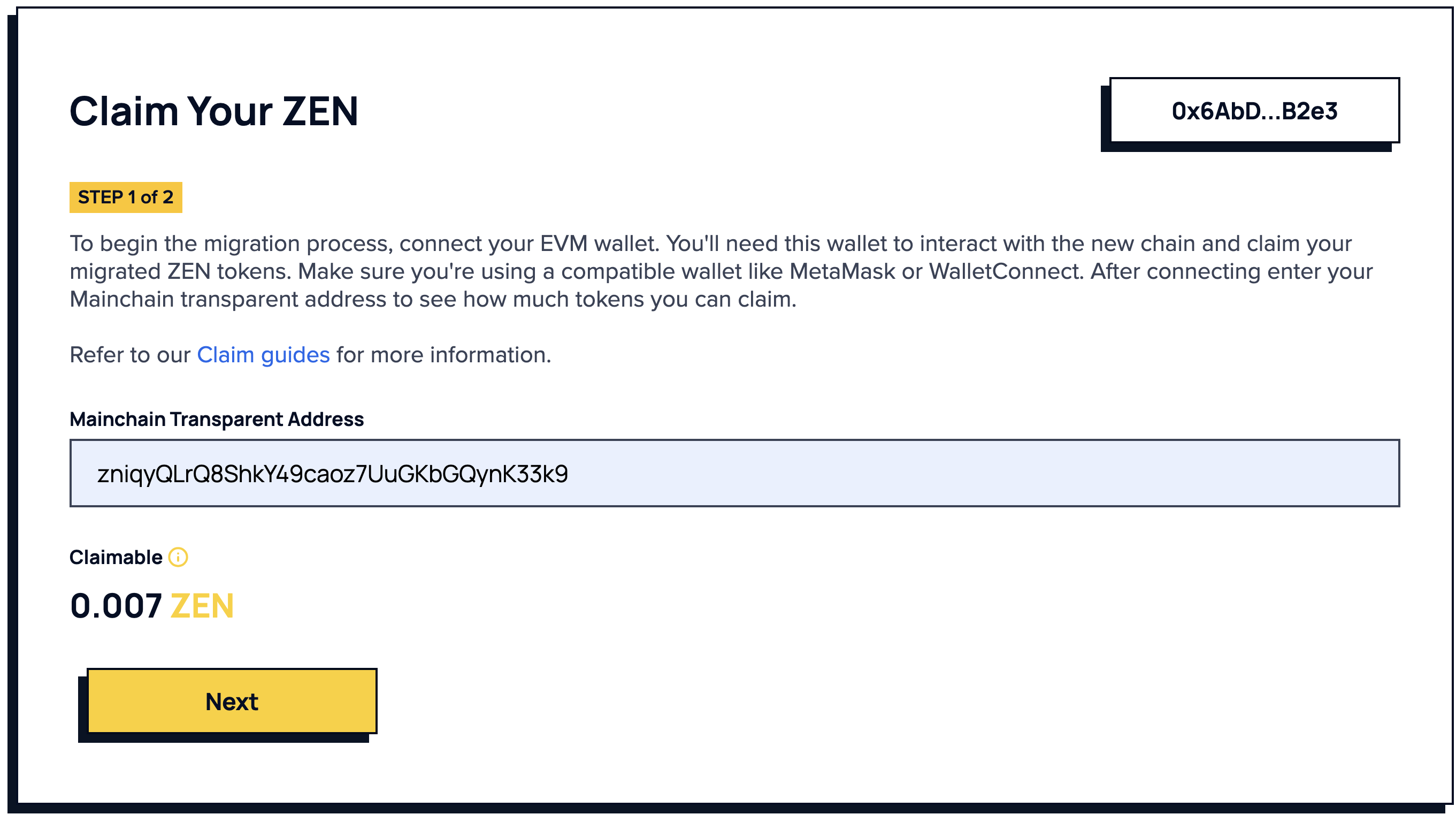
Input your Horizen Transparent Address (e.g., from Sphere). The interface will display your available ZEN balance. Click Next.
4. Paste Signature and Destination Address
-
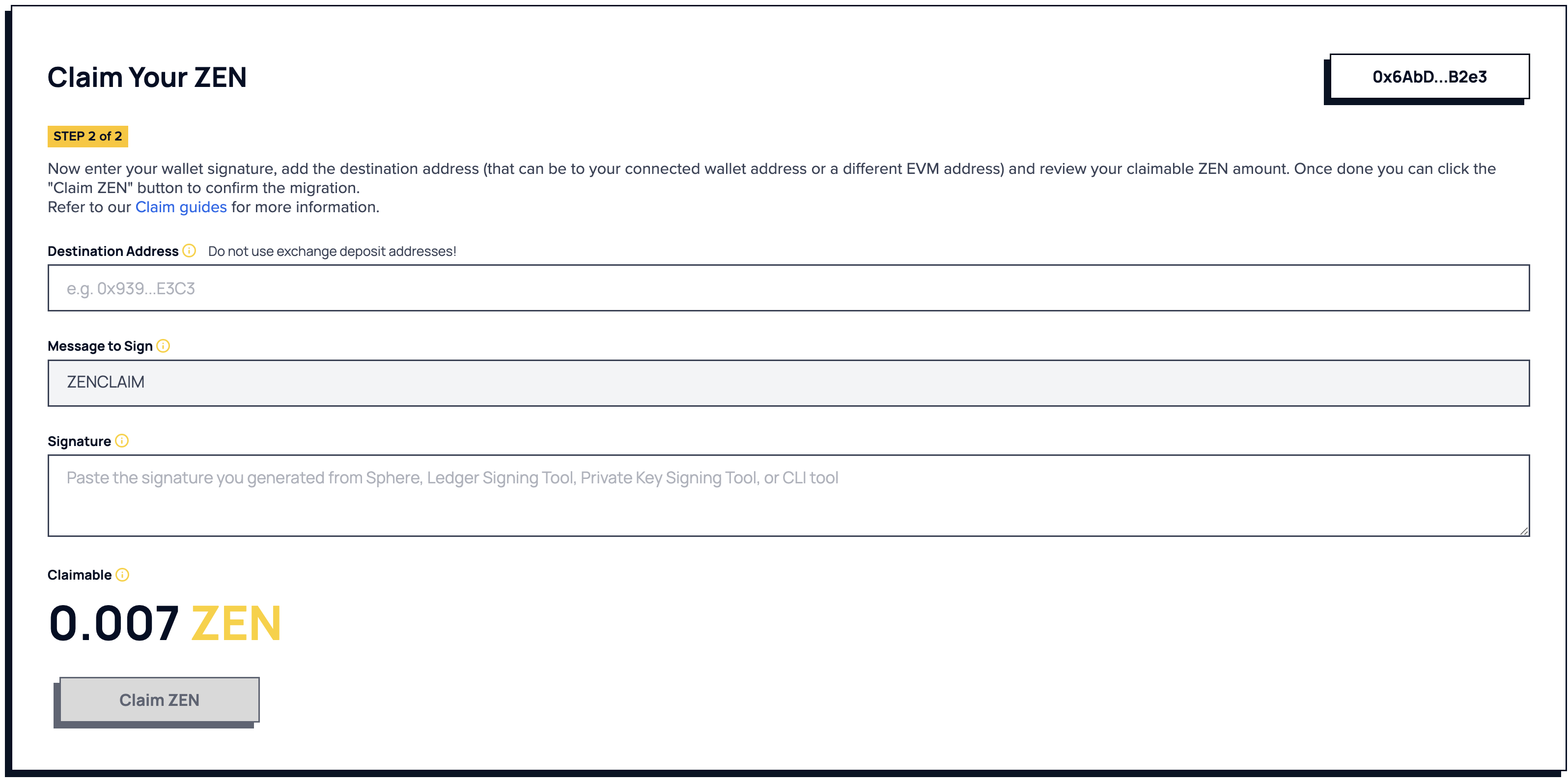
The signed message should have already been created. If you haven’t done this yet, please go to the Create a Signature section to generate a signature.
-
Paste the signed message into the signature field.
-
Enter the same destination address used in the message signing step.
5. Submit Claim
Click Claim ZEN to initiate the transfer of $ZEN from the Horizen chain to Base Mainnet.